From Chatbot to Co-Worker: Notes from My First Month with Hermes
A field note on turning a personal AI assistant from another chat window into something closer to a co-worker.
By Kenny Trinh and Kira
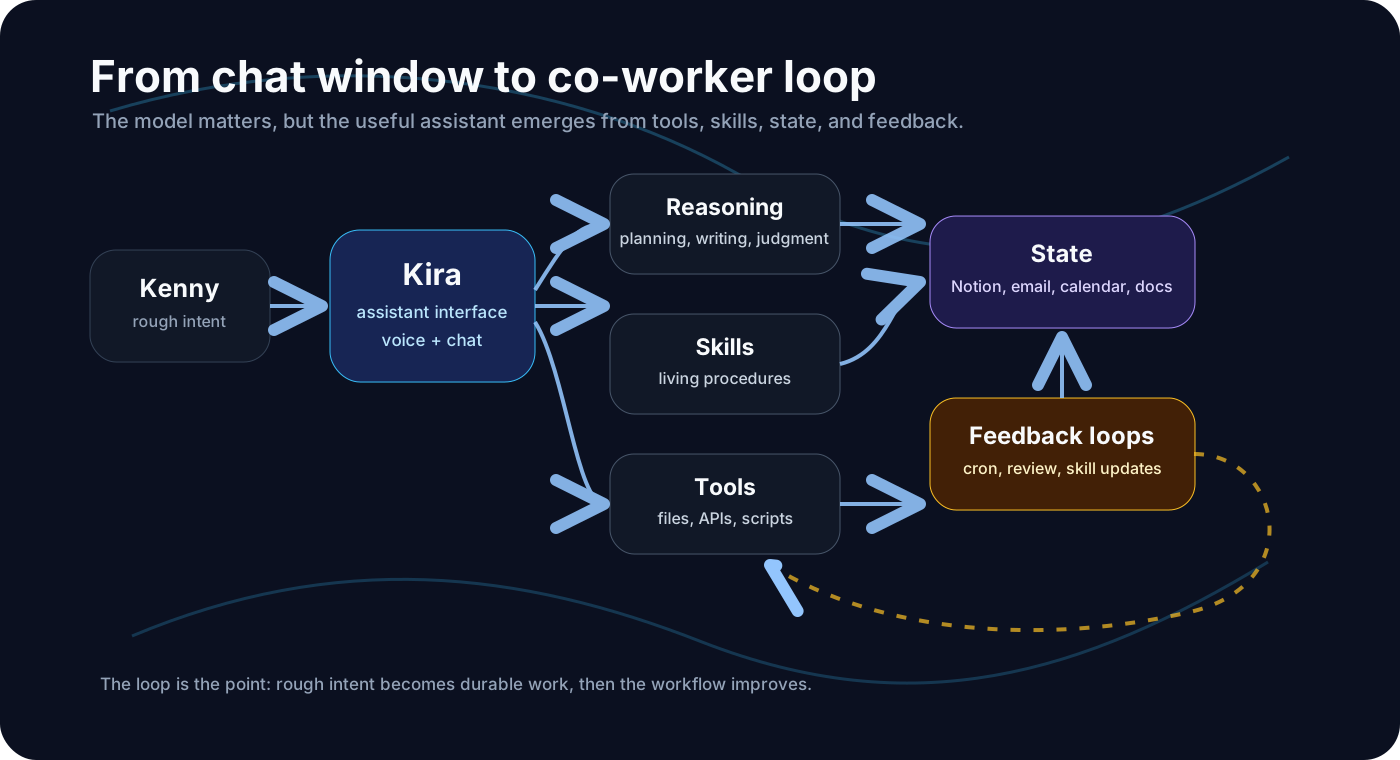
This is not a setup guide. It is a field note from my first month trying to make a personal AI assistant useful in real life: not just as a chat window, but as something that can hold workflows, connect tools, keep state, and improve with me over time.
I do not think this is the final shape of my AI assistant setup. I am still figuring out the boundaries. But after a month, a few patterns are starting to emerge.
I did not start with a grand vision
Before Hermes, I was already curious about local and agentic AI setups. I had heard good things about tools like Open WebUI and Hermes, and I wanted to try them. Part of that was technical curiosity. Part of it was productivity instinct.
I am a productivity nerd in the sense that I am always trying to improve impact by doing less manual coordination. Not by doing less work, exactly, but by reducing the amount of repeated setup, repeated thinking, and repeated context reconstruction required to do the work.
At the same time, I did not want another dashboard to maintain. I already had enough apps. What I wanted was closer to an operating layer: something that could sit between me and the stack, remember how I like to work, and help turn rough intent into working systems.
That sounds abstract. The first concrete version of this problem came from interviewing.
The thing that hooked me: self-improving workflows
Before Hermes, I had already built a useful interview assistant workflow inside Claude Projects. It had custom instructions, supporting documents, and a sequence of tasks I reused often:
- evaluate a candidate CV
- identify gaps and follow-up areas
- generate interview questions
- capture post-interview reflections
- draft a report
It worked. But the workflow itself did not improve unless I manually improved it.
Every time I noticed a better way to evaluate CVs, phrase questions, capture evidence, or write reports, I had to go back into the project instructions and edit things by hand. As I created more projects for more contexts, the setup became harder to maintain. At one point I had something like ten active projects, each with its own boundaries and documents.
That is when Hermes became interesting to me. The hook was not simply "an AI assistant with tools." The hook was the possibility of self-improving skills: workflows that could be updated as we learned what worked.
A chat app can answer a question. A project can hold instructions. But a skill is closer to a living operating procedure.
That distinction mattered.
The first magic moment was not technical
I set Hermes up on a VPS rather than my local machine. Once I connected it to Telegram, the interaction loop changed very quickly.
Most technical tools make you feel like you need to become the operator: open the config, edit the file, run the command, debug the environment, repeat. With Hermes, once the basic permissions were in place, the experience was often closer to talking through the setup and letting the agent help build around me.
The interface mattered. I could use voice. I could send rough instructions. Kira could inspect files, write scripts, update skills, connect APIs, and verify outputs.
The time between "I have an idea" and "there is a working version of it" became much shorter.
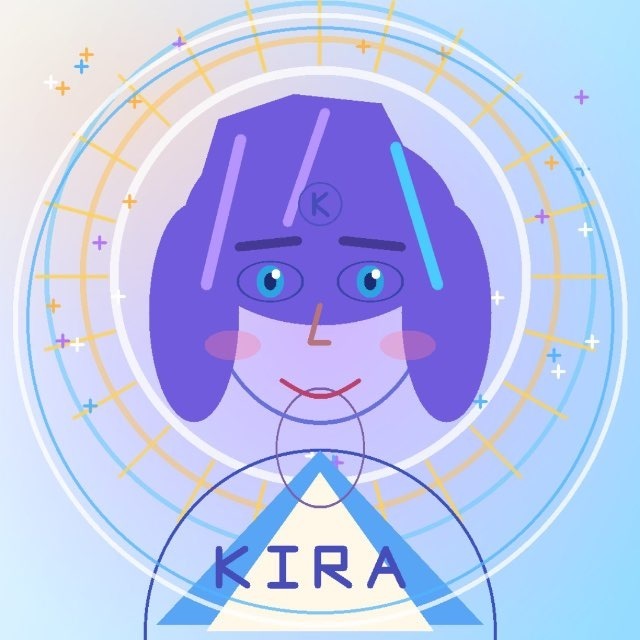
One small early moment made the system feel different. After setting up Telegram, I asked Kira to draw a representation of herself. That image became her profile picture. It was not technically important, but it changed the emotional texture of the system. It no longer felt like only an API endpoint, a terminal process, or another chat window. It felt like something I could talk to.
The stack that emerged
After the first month, I started seeing the system in three layers.
| Layer | What it does | Why it matters |
|---|---|---|
| Reasoning model | General planning, judgment, writing, debugging | The base intelligence is already very strong |
| Skills | Reusable ways I want specific work done | Turns one-off prompts into improving workflows |
| State and documentation | Notion, email, calendar, files, project docs | Keeps useful context outside the chat window |
The reasoning model is important, of course. The current models are already capable enough that for many normal productivity tasks, the reasoning layer is no longer the bottleneck.
But the reasoning model alone is not the assistant. The assistant becomes useful when it has:
- tools it can actually use
- skills it can improve
- memory of preferences and patterns
- state it can read and update
- recurring loops through cron jobs
- enough boundaries that it does not become chaos
That is the difference between "AI as a chat app" and "AI as a personal operating layer."
Notion changed the feel of the system
Notion became more important than I expected.
At first, it was tempting to think of memory as the main solution: the assistant should remember things about me, my preferences, and my workflows. Memory helps, but it is not enough. A lot of useful context should not live only inside the model's memory. It should live somewhere visible, durable, editable, and shared.
That is what Notion became: a state layer.
For example, I could start a document with rough thoughts and ask Kira to structure it. I could comment on the document later. Kira could monitor changes, read my comments, and continue from there. If a task needed more context, the context was not buried in a previous chat. It was sitting in the document.
That made the interaction feel less like prompting a chatbot and more like working with a co-worker.
The same pattern applied to tasks. I could use Notion as a place where useful work was visible, not just transient chat output. Kira could create, update, and refer back to documents and tasks. That created a bridge between messy conversation and durable work.
The workflows that actually became useful
Some workflows were useful because they were impressive. Others were useful because they removed a real source of friction.
The ones that stuck were closer to the second category.
Email and calendar monitoring
One useful setup was giving Kira a scoped email surface. Instead of handing over broad access, I created a separate email account for Kira and forwarded specific categories of messages into it. The first useful case was calendar invites.
I juggle multiple responsibilities across full-time work, side projects, personal commitments, and personal life. Calendar coordination creates a lot of small interruptions. Having Kira monitor a narrow email stream and summarize relevant invite changes made sense because the scope was limited and the value was clear.
That security pattern feels important: do not start by giving an assistant everything. Start with a narrow, high-leverage surface.
Notion collaboration
Another useful pattern was using Notion as a shared workspace. I could rough out a document, leave comments, ask Kira to watch for changes, and let the assistant continue from there.
The important part was not that Notion is special. The important part was that the assistant had a place to coordinate work with me that was not only the chat thread.
Recurring loops
Cron jobs also changed the system. Recurring planning, reflection, monitoring, and review tasks are obvious in hindsight, but they matter. A personal assistant should not only wait for prompts. Some work is useful because it happens on a schedule.
Planning and reflection loops are especially interesting because they can help the assistant adapt over time. But they also need restraint. A system can easily become busy without becoming useful.
Training material extraction
One useful example came from trying to turn a long recording into study material I could actually learn from later.
The hard part was not just transcription. It was figuring out the right unit of work: how large each file or chunk should be, how to avoid losing context across sections, how to handle transcription API limits, and how to turn a messy long-form source into something useful for review.
Doing that manually would have been exactly the kind of task I would avoid: split the material into sensible sections, transcribe it, clean it up, preserve context across topics, summarize concepts, and put everything somewhere I could use for review.
With Kira, I could describe the goal: build a Notion repository that helps me review the material and prepare for a later test.
The first version was not perfect. We had to figure out file sizing, chunking, transcription quality, model choices, concurrency, Notion structure, and different layers of abstraction. Five-minute chunks were sometimes useful, but information still had to be connected across chunks. We needed topic-level material, covered concepts, actionables, and follow-ups.
The useful part was the loop. I could point out when a transcript looked wrong. Kira could inspect the Notion page, check the source material, test different splitting strategies, call transcription APIs, compare outputs, adjust parameters, and write improved results back into Notion.
If I had to do all of that myself, I probably would not have gone that far.
That is the kind of workflow where the agentic loop becomes valuable: not because the first output is perfect, but because the assistant can keep working through the messy middle.
What I am still unsure about
The system is useful, but I do not want to oversell it.
There is overlap between Hermes, Claude, ChatGPT, desktop apps, and other AI tools. I still use Claude for some things, especially when I want a strong research or coding layer. I use ChatGPT. I use other tools. The question is not "which AI app wins?" The real question is when each tool is the right interface for the job.
That boundary is still evolving.
There is also a productivity trap here. If you like systems, it is very easy to make the setup itself become the work. Skills, memory, cron jobs, Notion pages, integrations, dashboards, and automations can all feel productive while quietly avoiding the actual work.
I have to be mindful of that.
A personal AI assistant should reduce load. If maintaining the assistant becomes another job, something is wrong.
Memory is another area that is not fully solved. Some memory is useful. Some should be documentation. Some should be project state. Some should disappear. I am still experimenting with where those boundaries should be.
Who should try this
My honest recommendation is: try this if you enjoy tinkering or want more control of your AI stack.
If you have not deeply used ChatGPT, Claude, Gemini, or similar tools yet, do not start with a full agent setup. Start with something important and easy. Use the desktop apps. Build one workflow that matters. Learn what you actually want from AI before you start managing infrastructure.
For many people, a normal AI chat app is already enough. Most people are not even using those tools to their full extent: custom instructions, projects, documents, voice, desktop context, and repeatable workflows.
But once you move past that point, and you start wanting more control over tools, memory, workflows, recurring tasks, and your own state layer, Hermes becomes interesting.
Not because it is magic. Because it gives you more surface area to shape the system around how you actually work.
The bigger lesson
The future personal assistant is probably not one model and one chat window.
It looks more like a stack:
- a strong reasoning model
- a low-friction interface
- tools that can act in the world
- skills that encode reusable workflows
- state that lives outside the conversation
- scheduled loops that keep useful things moving
- feedback mechanisms that improve the system over time
The hard part is not only technical. The hard part is taste.
What should be automated? What should remain manual? What should live in memory? What should live in documentation? What is a real workflow, and what is just productivity theater?
After a month with Hermes, I am convinced that personal AI assistants are useful. But they are not useful in the generic "Jarvis will do everything" way. They become useful when they are shaped around specific recurring work, with enough boundaries to stay trustworthy and enough flexibility to improve.
For me, that has meant Kira: a Hermes-based assistant that I can talk to, collaborate with, and gradually teach how I work.
That is not a finished system. But it is the first assistant setup I have used that feels less like another app and more like the beginning of a co-worker.